Barnes & Noble NOOK
- 4.4
- Rating
- 10.00M
- Installs
- Free
- Price
 Analysis by App-foxy
Reading on a phone can easily become an afterthought: a few pages while waiting, a reference book during a commute, or a novel opened late at night. Barnes & Noble’s NOOK app makes that kind of reading feel more deliberate. I found it most convincing as a dedicated digital bookshelf rather than as a general-purpose reading tool. It gives Barnes & Noble customers a clear place to discover, organize, and read digital books, while still being approachable for someone who simply wants a free app from the Books & Reference category.
My overall view is positive, but it depends on what you want from an e-reader. NOOK is a sensible choice if you like the Barnes & Noble ecosystem, want your library gathered in one app, and prefer browsing books through a familiar bookseller. It is less compelling if your reading life is spread across several unrelated stores, if you expect every title to be available everywhere, or if you want the most minimalist reading experience possible.
What makes NOOK useful in everyday reading
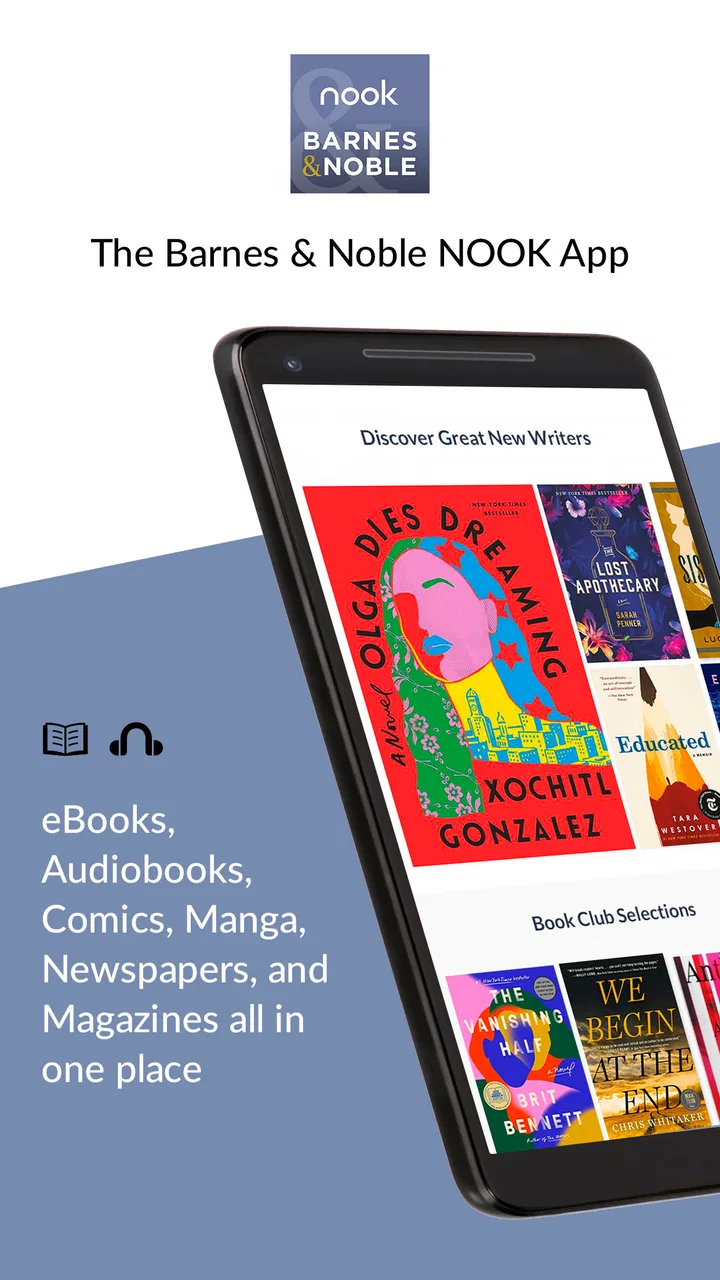
The first thing I noticed is that the app serves two jobs at once. It is a reading space, but it is also a discovery tool. That combination matters because choosing the next book is often as important as opening the current one. Instead of treating the library as a static shelf, NOOK encourages browsing and lets the bookseller relationship remain part of the experience.
You May Also Like

 Pandora - Music & Podcasts
Pandora’s Music Is Easy to Start, but Harder to Recover
Pandora’s strength is its low-effort path from a seed to a station. Its weak spot is how much confidence it asks you to place in connection, setup, and quiet recovery.

 8 Ball Pool
 Is Built on Rivalries, Rematches, and Routine
A close look at the rivalries, rematches, shared routines, and unanswered safety questions that turn a quick pool match into a persistent mobile community.

 Samsung Music
’s Quiet Strength Is Playing What You Already Own
Its reach comes less from spectacle than from dependable access to a personal library. That simplicity is both the app’s strongest retention engine and its ceiling.

 AccuWeather: Weather Radar
AccuWeather Review: A Quick, Clear Forecast for Everyday Decisions
For everyday plans, the best forecast is the one you can understand quickly. AccuWeather makes rain timing, radar, and local conditions easy to act on, with a few trade-offs.

 Hill Climb Racing
Why Hill Climb Racing Still Turns Crashes Into One More Run
A tiny car, a bumpy hill and one more upgrade: Hill Climb Racing keeps resurfacing because its simple chaos makes every near-miss feel personal.

 AliExpress - Shopping App
AliExpress Makes Global Shopping Feel Personal, but Shoppers Bear the Risk
AliExpress turns a global marketplace into a pocket-sized discovery engine. Its reach is useful, its shopping loop compelling, and its trade-offs easy to miss.
More From Our News Desk
View All News


That approach suits readers who do not want to manage separate apps for finding books and reading them. I can imagine opening it with a specific title in mind, then getting distracted by related choices before settling on something else. For casual readers, that is a pleasant workflow. For people who already know exactly what they want and only care about uninterrupted reading, the extra discovery layer may feel less important.
The app comes from Barnes & Noble, which gives it a recognizable identity in a crowded reading market. It is not trying to be a generic document viewer or a tool for importing every file on a device. Its purpose is more focused: digital books, a connected library, and the browsing habits that surround buying or choosing them.
That focus also explains why the app feels more useful over time than during a single test session. The value is not just in opening one book. It is in returning to the same reading environment, keeping track of what I want to read, and avoiding the scattered feeling that comes from switching between a bookseller, a reading app, and a separate notes system.
A practical reading routine
A realistic daily use case would be a reader who starts a novel at home, continues it during a lunch break, and returns to it before bed. NOOK is well suited to that pattern because the app is built around the idea of a continuing digital library rather than a one-time download. I would use it as the central place for leisure reading, especially when I wanted to browse for the next book without leaving the same environment.
Another useful routine is keeping reference material close at hand. A cookbook, travel guide, or study-related title can be easier to consult on a phone than a physical volume, particularly when the phone is already nearby. I would not replace every paper reference book with NOOK, but the app makes occasional lookup reading practical. The important distinction is that it works best when the book itself is the center of attention, not when I need a full research workspace with extensive annotation and cross-document organization.
For bedtime reading, I would take a few minutes to adjust the reading setup before settling in. A comfortable text size and a less distracting screen arrangement can make more difference than any discovery feature. This is one of the less obvious lessons with reading apps: a large catalog does not help if the display settings make a long session tiring. NOOK is worth judging not only by how quickly it opens a book, but by how comfortable it feels after several chapters.
Discovery is a real strength, with a trade-off
The strongest part of the experience is the connection between browsing and reading. A traditional e-reader can be excellent once a book is selected, but many readers still need help deciding what to read next. NOOK’s identity as Barnes & Noble’s digital discovery experience gives it an advantage for anyone who enjoys browsing by mood, subject, or author rather than arriving with a precise shopping list.
I also like the psychological simplicity of keeping discovery and reading together. When I use separate services, I often find a title in one place, save it somewhere else, and then forget why I wanted it. A single reading ecosystem reduces that friction. My advice is to treat the discovery area as a planning tool rather than endlessly browsing: save a short list of realistic next reads, then return to the library when you actually want to read.
The trade-off is that the experience naturally favors the Barnes & Noble catalog and account environment. That is not a flaw in itself, but it does make the app less attractive to someone who wants a neutral reader for books purchased from many unrelated sources. If your collection is already divided among several platforms, NOOK may become one more destination to remember rather than the one place that solves the problem.
The library matters more than the storefront
For me, the most important question is not whether the app can help me find a book. It is whether I will feel comfortable returning to it after the novelty wears off. A reading app earns its place through a dependable library routine: knowing where unfinished books are, recognizing what I have saved, and making it easy to resume without mental effort.
NOOK’s appeal is strongest for readers who want that routine tied to a major bookseller. The app feels like an extension of a broader book-buying habit, which can be reassuring if Barnes & Noble is already where you look for titles. It also gives occasional readers a straightforward way to keep digital books separate from unrelated phone content such as messages, photos, and work files.
My practical tip is to avoid filling the library with every title that looks interesting. Digital shelves can become cluttered just as quickly as physical ones, and an overgrown collection makes choosing harder. I would keep a small active reading group, use the broader library as storage, and periodically remove distractions from the immediate view. That simple habit makes a discovery-focused app feel much calmer.
Where the app can feel limiting
The meaningful weakness is the ecosystem boundary. NOOK is not the best answer for a reader who expects one universal bookshelf for books from every retailer, library service, and file source. Its focused relationship with Barnes & Noble is part of its strength, but it also means that readers with a mixed collection may need to maintain more than one app.
This matters especially for people who move between platforms often. If you read on different devices, borrow digital books through library services, or receive books in several formats, you should think about how much of your collection you want inside one store’s environment. NOOK can be a good home for its own reading world, but it should not be chosen on the assumption that it will replace every other reading solution.
There is also a difference between browsing and deep reading. I enjoy having discovery close by, but some readers want an almost invisible interface that disappears once a book is open. For them, a simpler dedicated reader may feel more focused. NOOK’s broader identity is useful when you are choosing and managing books; it is less of a decisive advantage when you only want a blank page and no temptation to shop.
I would also be cautious about using it as a substitute for a serious academic annotation system. A student who needs extensive citation management, detailed marginalia, or a workflow spanning many documents may be better served by a specialized study application alongside an e-reader. NOOK makes sense for reading study material, but that is not the same as providing a complete research desk.
Who should choose it
I would recommend NOOK first to regular readers who already recognize Barnes & Noble as their preferred bookseller. The app is a natural fit when you want digital discovery, a connected reading library, and a familiar place to return to. It is also a good option for someone moving from occasional phone reading toward a more organized habit, because the app gives that habit a clear home.
It can work well for families or households where one person wants a dedicated book space on a phone or tablet, although I would still pay attention to how accounts and libraries are organized before committing a large collection. The key question is simple: do you want your digital reading to live inside the Barnes & Noble experience? If the answer is yes, the app’s focus becomes an advantage rather than a restriction.
It is less suitable for a reader whose priority is maximum openness. If you mainly read books from different stores, use library borrowing as your primary source, or keep a large collection of personal documents, a more format-flexible reader may be the better central tool. You might still use NOOK for Barnes & Noble titles, but it would not necessarily deserve to be your only reading app.
Price makes trying it relatively easy: NOOK is free to install. That does not mean every book inside the experience is free, so I would separate the cost of the app from the cost of building a digital library. This distinction is easy to overlook when choosing a reading application. The free entry point is useful, but the long-term value depends on whether its catalog and reading workflow match your habits.
What the numbers suggest, and what they do not
NOOK has been available since July 2010, and that long presence gives it a level of familiarity that newer reading apps have not had time to build. The app has passed ten million installs, with an average rating of 4.3 from roughly 175 thousand ratings. Those figures suggest a substantial and active audience, but they should be read as context rather than proof that every reader will have the same experience.
The app is marked for Teen audiences, which is useful context for households deciding whether it fits a younger reader’s device. I would still make the decision based on the individual books being accessed, since a reading platform can contain very different kinds of material. The age label is a starting point, not a replacement for checking a title’s suitability.
Its store summary describes it as an award-winning digital discovery experience, but my recommendation is based more on the practical combination of browsing and reading than on that phrase. The real question is whether you value a bookseller-connected library enough to accept a more defined ecosystem. For me, that is the central trade-off and the clearest way to judge the app.
How it compares with common alternatives
Compared with a basic phone reading app, NOOK offers a more intentional book-centered environment. A generic reader may be better for opening local files or keeping reading completely separate from shopping, but it usually does not provide the same bookseller-oriented discovery experience. If your books already come through Barnes & Noble, NOOK is the more coherent choice.
Compared with a dedicated e-reader device, the app is more convenient when you already carry a phone or tablet. You do not need another piece of hardware for occasional reading, and the device can handle other tasks between chapters. The compromise is that a phone remains a phone: notifications, bright surroundings, and unrelated apps can interrupt the quiet feeling that a dedicated reader provides.
Compared with a broad subscription or library-centered service, NOOK is better for readers who want a direct relationship with a bookseller and their selected digital books. Another service may be more attractive if you prefer borrowing, rotating catalogs, or keeping monthly costs predictable. NOOK is the stronger fit when ownership and discovery through Barnes & Noble matter more than access through a changing subscription collection.
Compared with a document-management app, NOOK is more focused on books and less appropriate for mixed files, work documents, or research archives. That is not a weakness when the goal is leisure reading. It becomes a weakness only when someone chooses it expecting a universal digital filing cabinet.
Small habits that improve the experience
I would begin by deciding what role NOOK will play before adding books. If it is your main leisure library, keep the home reading list focused. If it is a secondary app for Barnes & Noble purchases, do not force it to replace the reader you already use for everything else. Clear expectations prevent the ecosystem limitation from becoming an ongoing annoyance.
For long books, I would make the reading display part of the setup rather than an afterthought. Test the text size during a full page, not just while looking at a title screen. Then read a few pages in the lighting where you normally use the app. This is a practical way to discover whether the phone or tablet is suitable for extended sessions before you commit to reading an entire novel there.
For discovery, I recommend turning browsing into a short weekly ritual. Look for a few possibilities, choose one realistic next read, and close the store area. That workflow preserves the pleasure of finding books without allowing an endless catalog to replace reading time. It is especially helpful for people who download or collect more quickly than they finish.
If you are switching from another reading platform, start with a single title rather than attempting to reorganize your entire digital history immediately. Use that first book to judge the library flow, the screen comfort, and how naturally the app fits your daily routine. A small trial tells you more than a large migration made before you know whether the app suits you.
My verdict after using it
NOOK is at its best when discovery and reading belong in the same Barnes & Noble-centered routine. That is the clear thesis I would give a friend. It is not a universal reader for every format and every source, but it does not need to be one to be useful. Its focused purpose gives it a recognizable advantage for readers who want a digital bookshelf connected to a familiar bookseller.
I like the way it supports the full path from “What should I read?” to “Where did I leave off?” That makes it more valuable than a plain file viewer, particularly for casual readers who want help choosing their next book. The free app also makes experimentation easy, while its long availability and large installed audience offer reassurance that it is an established reading option rather than a short-lived experiment.
My reservations are equally clear. Readers with mixed libraries may find the store-specific approach restrictive, and people seeking a distraction-free, highly specialized reading or research tool may prefer another option. NOOK should be chosen for its ecosystem, not despite it.
For my recommendation, I would say yes to Barnes & Noble regulars, curious readers who enjoy browsing, and anyone who wants a simple digital home for selected books. I would suggest looking elsewhere, or using NOOK only as a secondary reader, if openness and cross-platform collection management are more important than bookseller-connected discovery. As a free Books & Reference app from Barnes & Noble, it delivers a coherent experience with a clear audience: a practical choice for readers who want their digital library to feel like part of a bookstore.
FAQs for Barnes & Noble NOOK
01What is the Barnes & Noble NOOK app?
The Barnes & Noble NOOK app is a digital platform that allows users to read eBooks, magazines, and newspapers on their Android or iOS devices. It provides access to a vast library of titles, including bestsellers and new releases. Users can also personalize their reading experience with customizable fonts and themes.
02Is the NOOK app free to use?
Yes, the Barnes & Noble NOOK app is free to download and use. However, while the app itself is free, users will need to purchase individual eBooks, magazines, or newspapers unless they access free content or have a subscription. Some books may have free samples available to try before buying.
03Can I sync my library across multiple devices?
Absolutely. The NOOK app allows users to sync their library across multiple devices. This means you can start reading on your smartphone and continue on your tablet without losing your place. Your bookmarks, notes, and highlights are all synchronized, providing a seamless reading experience.
04What types of devices is the NOOK app compatible with?
The NOOK app is compatible with a wide range of devices, including most Android smartphones and tablets, as well as iOS devices like the iPhone and iPad. This flexibility allows users to access their reading material on whichever device is most convenient for them at any time.
05Does the NOOK app support audiobooks?
Yes, the Barnes & Noble NOOK app supports audiobooks, allowing users to listen to their favorite books on the go. This feature is perfect for multitasking or enjoying a book during commutes. Users can easily switch between reading and listening, enhancing the overall reading experience.
Pros
- Wide selection of eBooks available.
- User-friendly interface for easy navigation.
- Syncs across multiple devices seamlessly.
- Includes audiobook support for diverse options.
- Customizable reading settings enhance comfort.
Cons
- Limited multimedia features compared to rivals.
- Occasional syncing issues reported by users.
- In-app purchases can be costly.
- Not all eBooks available in all regions.
- Requires internet for full functionality.

Barnes & Noble NOOK
Gallery